Customer service · Team communication

Customer service and team communication, under your own brand.

Live chat with a chatbot, phone routing you design yourself, real-time dashboards, email, team chat, video and remote support. One platform, with your logo and colors on every screen.

  • Answer customers by chat and phone from one place
  • Give your team email, chat, meetings and a shared calendar
  • Everything carries your company’s logo, colors and name
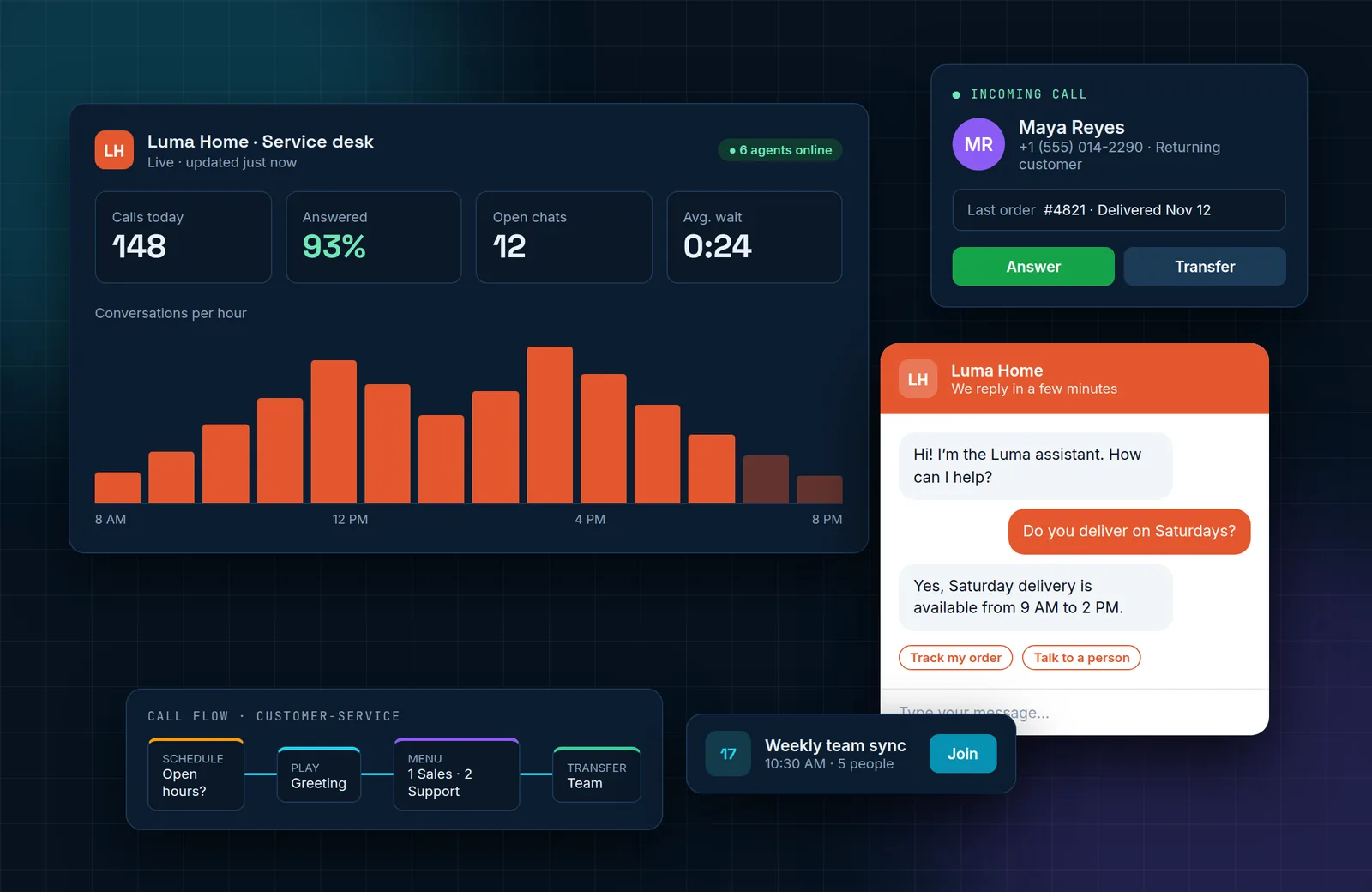
Illustration of the platform: a live service dashboard, an incoming call card with customer details, a branded chat widget, a call flow and a meeting reminder
Built for
  • Online stores
  • Service businesses
  • Support & call teams
  • Multi-location companies
For your customers

Be easy to reach, by chat or by phone

Customers get an answer quickly, and your team sees who they are talking to.

Live chat & chatbot

A chat on your site that answers at any hour

Add a chat widget to your website or online store. The bot handles the common questions and passes the conversation to a person when the customer asks for one.

  • Widget in your colors, with your logo and your team’s names
  • Chatbot replies instantly, day or night
  • Hand-off to a human agent in the same conversation
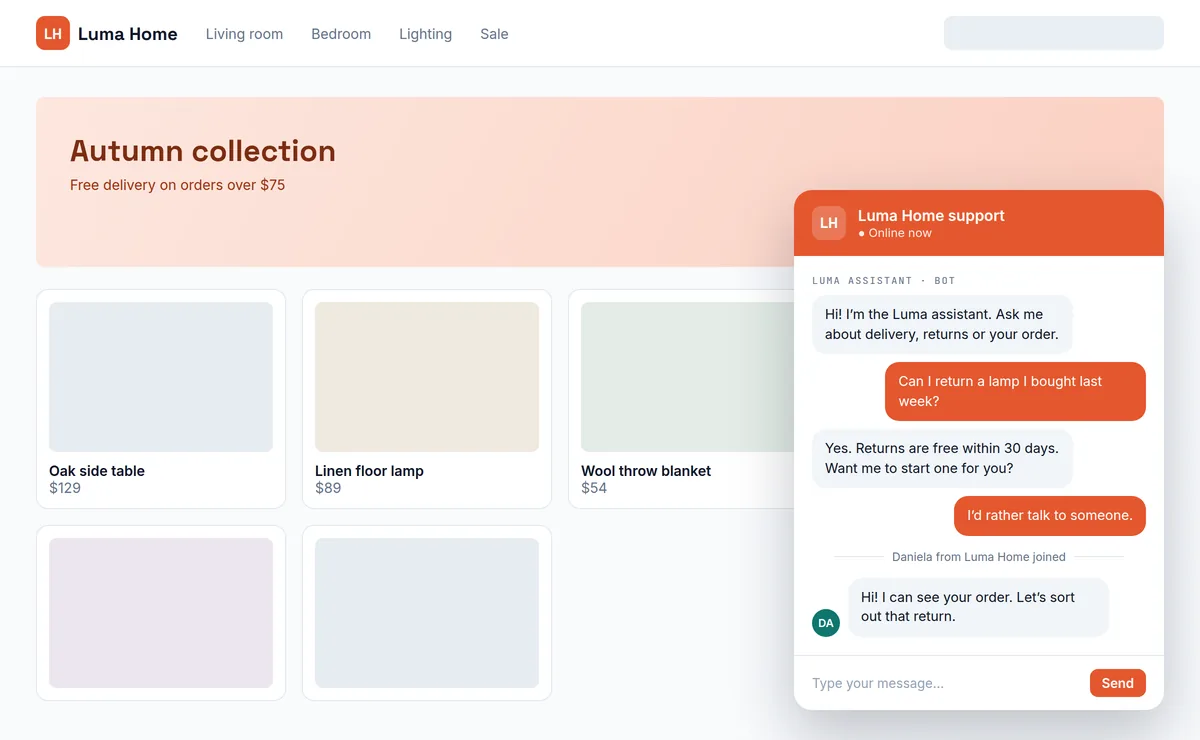
Online store with a branded chat widget where a chatbot answers a returns question and then hands over to a human agent
Illustrative example with a fictional store brand.
IVR designer

Design your own phone menu, without a technician

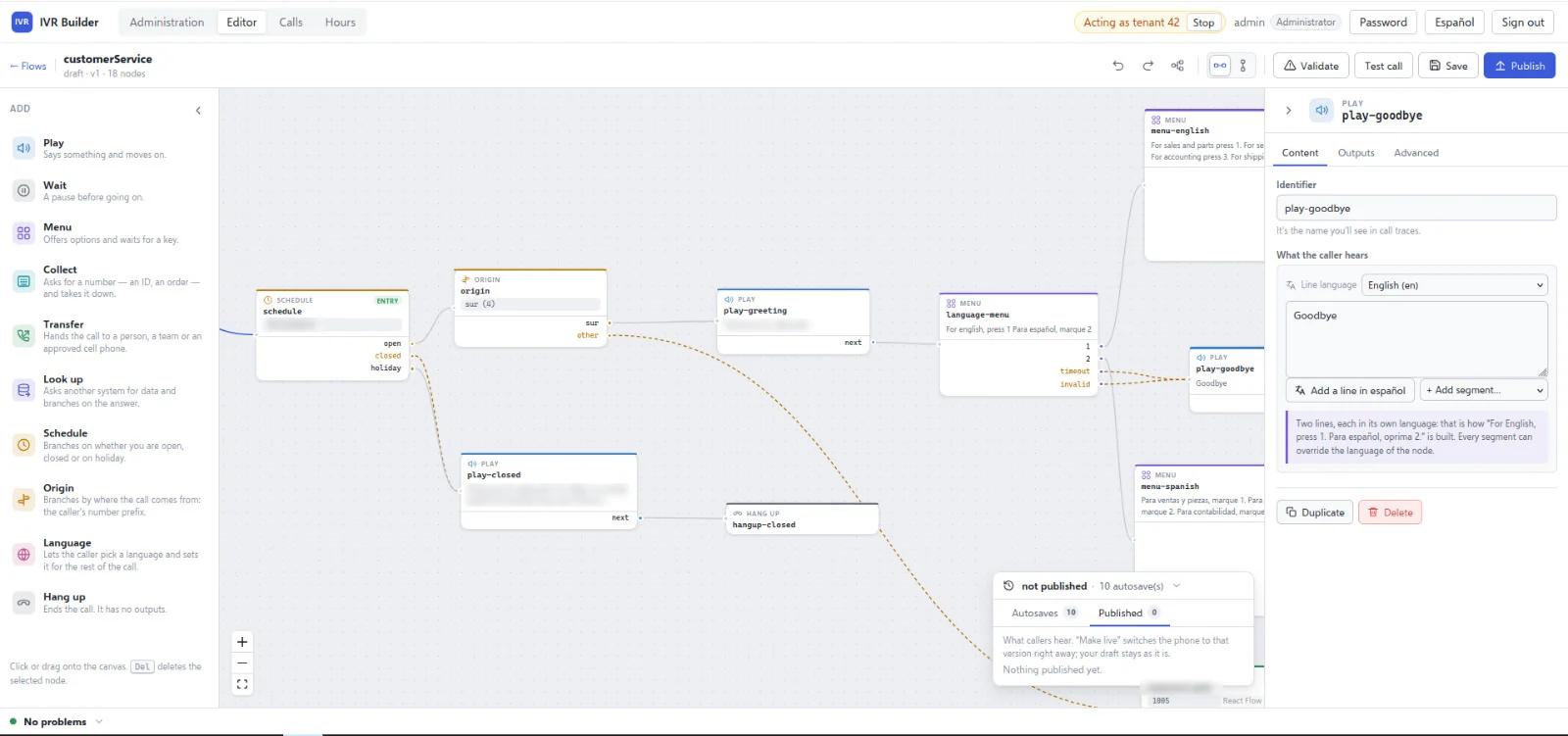
Build call flows on a visual canvas. Drag in a greeting, a menu, a schedule or a transfer, connect the steps, and publish when you are happy with it.

  • Route by business hours, holidays and where the call comes from
  • Menus and messages in more than one language
  • Collect an ID or order number and look it up in your systems
  • Validate the flow and place a test call before it goes live
IVR Builder screen: a call flow canvas with schedule, origin, greeting, language menu and hang-up steps, and a panel to edit what the caller hears
The IVR Builder editor.
CTI & real-time dashboards

Know who is calling, and how the day is going

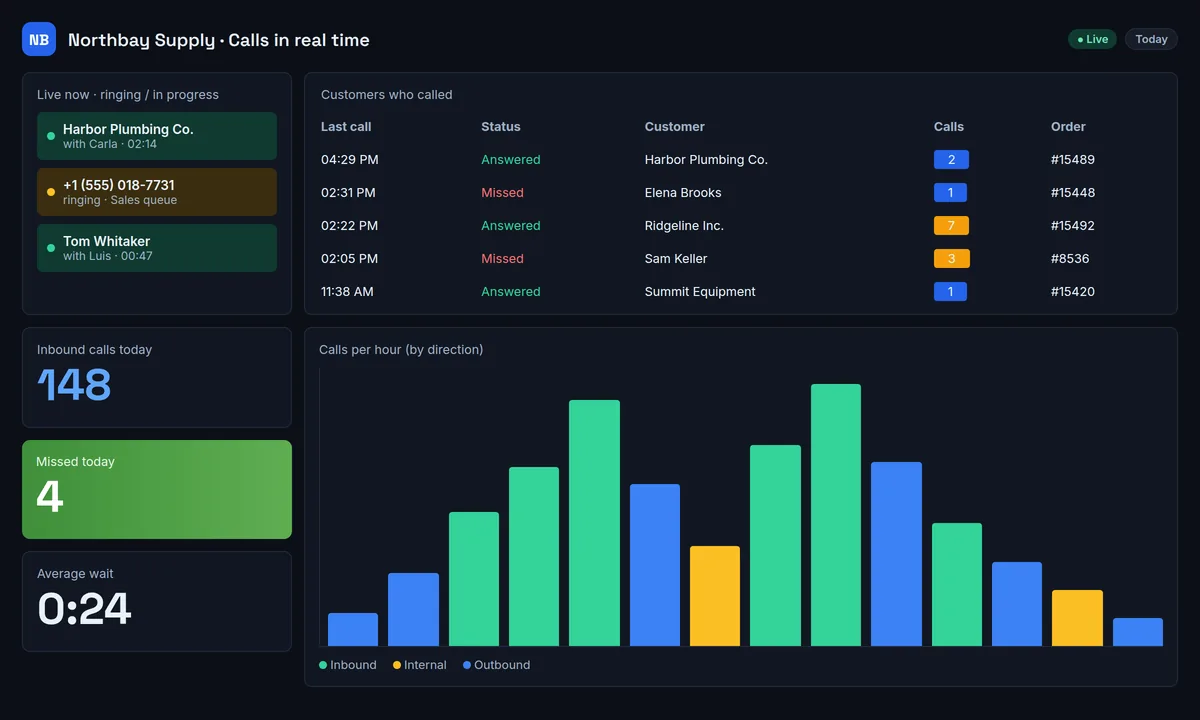
Your phone system is connected to your customer data, so each call arrives with a name and context. A live dashboard shows what is happening right now.

  • Calls ringing and in progress, as they happen
  • Answered and missed calls, matched to customers and orders
  • Unknown numbers listed separately so nobody is forgotten
  • Call volume by hour, inbound, outbound and internal
Real-time call dashboard with live calls, a table of customers who called, calls today, missed calls, average wait and calls per hour
Illustrative dashboard with sample data.
For your team

One workspace for the whole company

Email, chat, meetings and calendar live together, so your team stops switching between apps.

Email & team chat

Company chat right beside the inbox

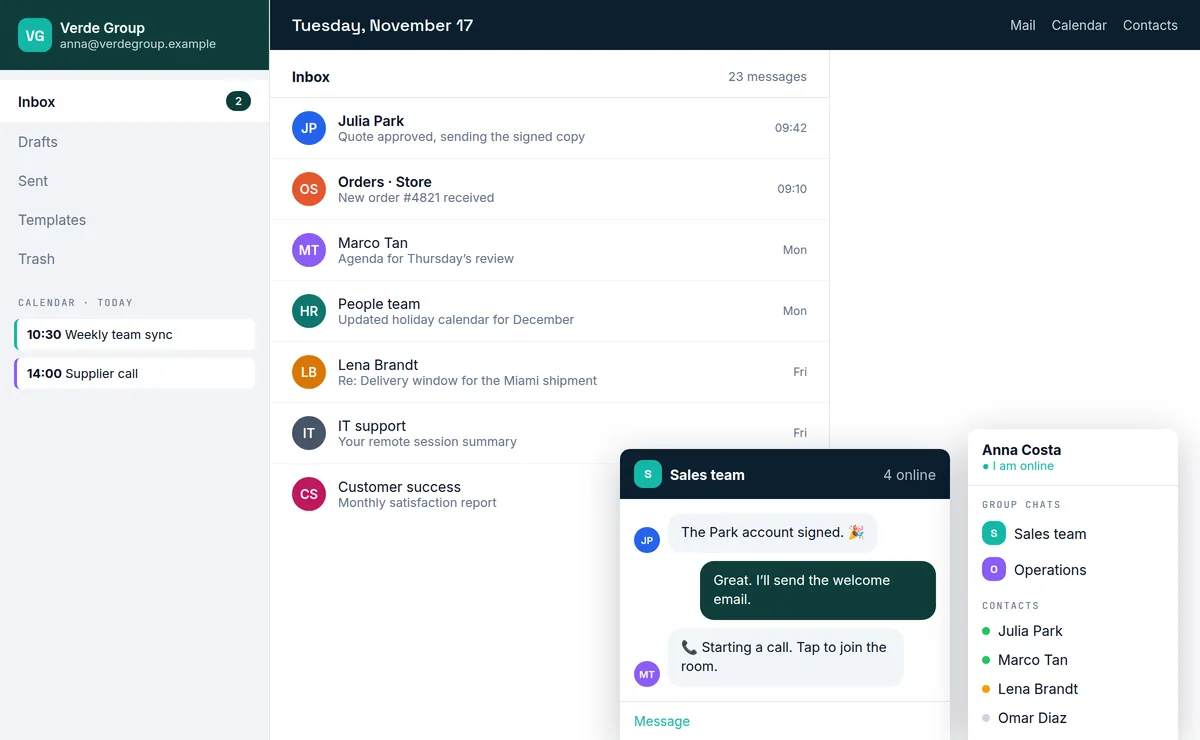
Business email on your own domain, with team chat docked to the same screen. Ask a colleague without leaving the message you are reading.

  • Webmail with folders, templates and contacts
  • Group chats and direct messages with online status
  • Start a call from a chat and let others join with one click
  • Your company signature on every email
Webmail inbox with today’s calendar in the sidebar and two team chat windows docked at the bottom of the screen
Illustrative example with a fictional company brand.
Video conferencing

Meetings that start in one click

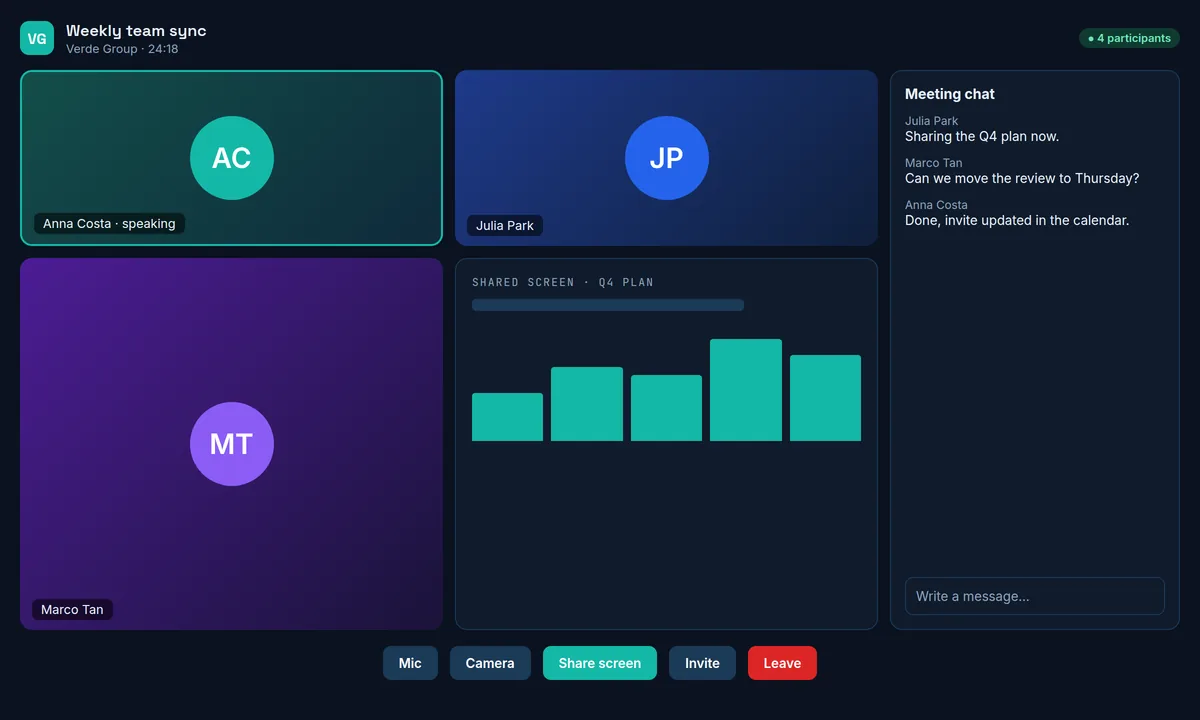
Hold team meetings and customer calls in your own meeting rooms. Share your screen, chat alongside the video, and invite guests with a link.

  • Video rooms with screen sharing and meeting chat
  • Join from a chat message or a calendar invite
  • Rooms carry your company name and logo
Video meeting with three participants, a shared screen, a meeting chat and call controls
Illustrative example.
Calendar & scheduling

A shared agenda everyone can trust

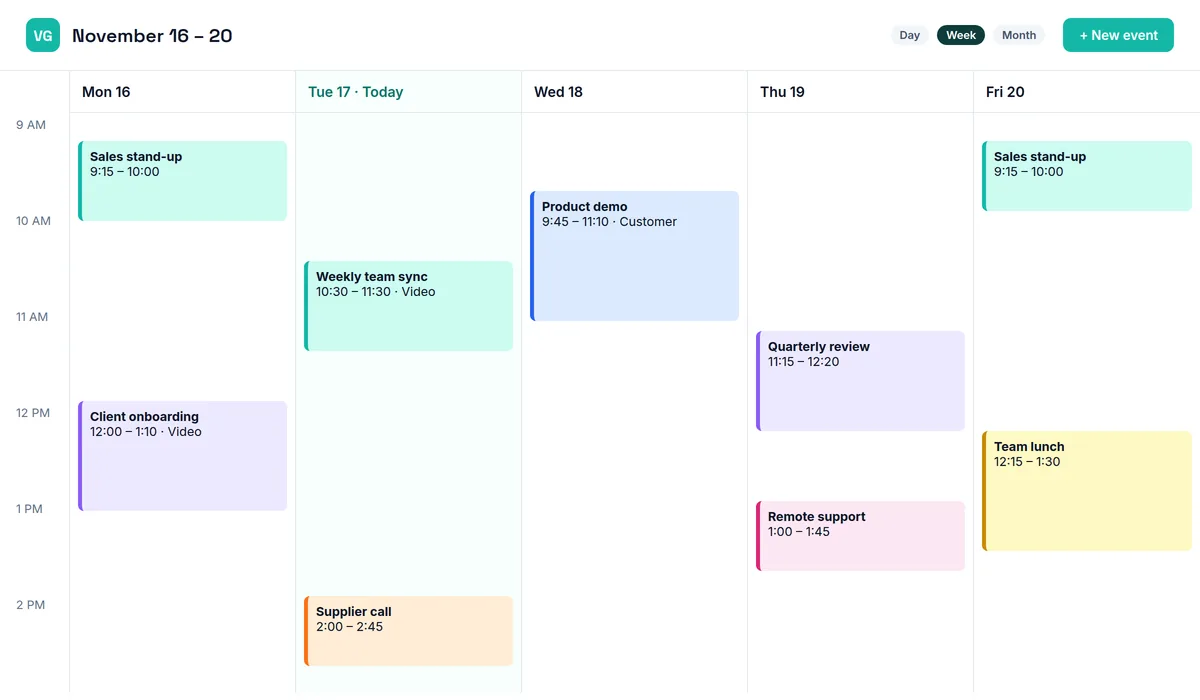
Plan meetings, demos, support sessions and appointments in a shared calendar that sits next to email and chat.

  • Day, week and month views
  • Invites sent by email, with a video room when you need one
  • Today’s agenda visible from the inbox
Week view of a shared calendar with meetings, a product demo, a supplier call and a remote support session
Illustrative example.
Remote support

Your own remote support tool, with your name on it

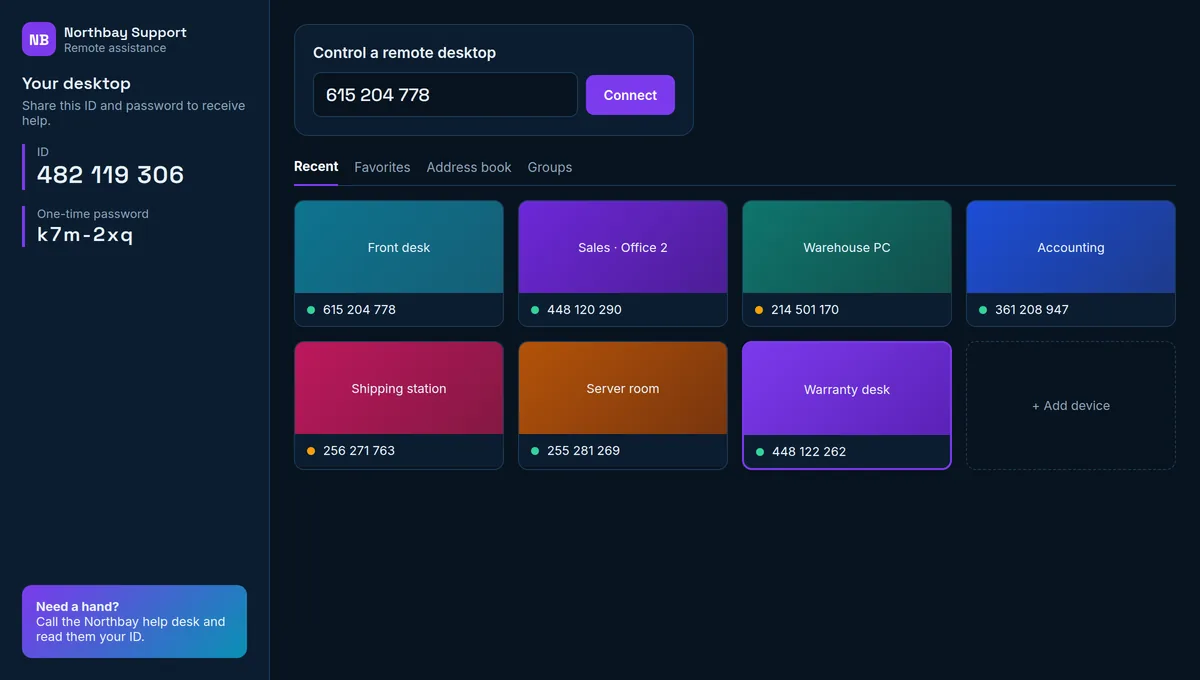
Help customers and employees directly on their screen. They open your branded app, read you an ID, and you connect.

  • Connect with an ID and a one-time password
  • Address book of the computers you support
  • App name, logo and colors customized for your company
Branded remote support console showing the desktop ID, a field to connect to a remote desktop and a grid of recent devices
Illustrative example with a fictional company brand.
Your brand

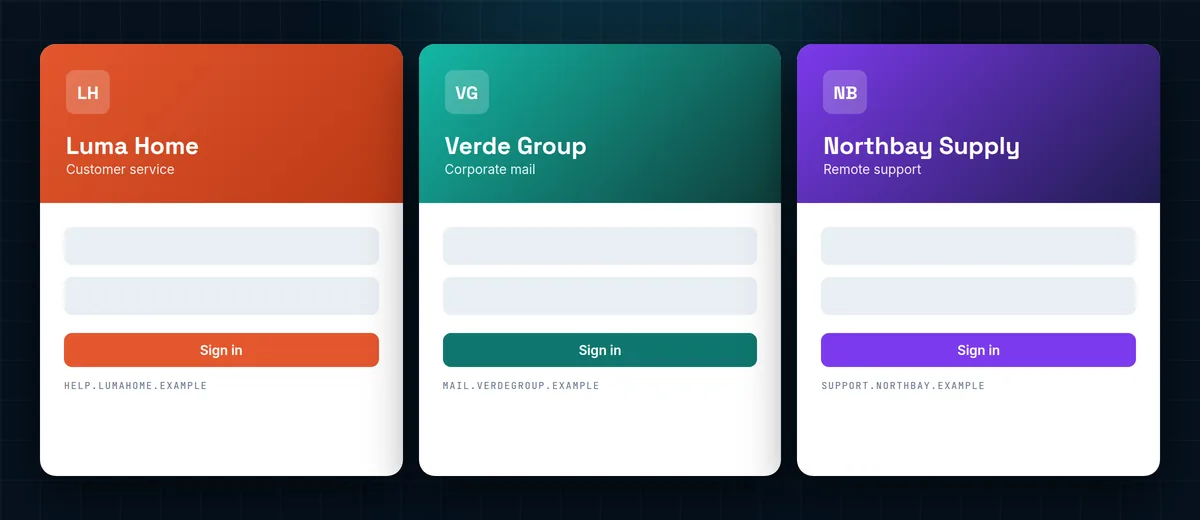
Your logo, your colors, your name. Everywhere.

Customers and employees never see a generic tool. Every screen, message and email carries your company’s identity.

Three sign-in screens for three fictional companies, each with its own logo, colors and web address

One platform, any brand

The same tools, dressed in each company’s own identity. Brands shown are fictional.

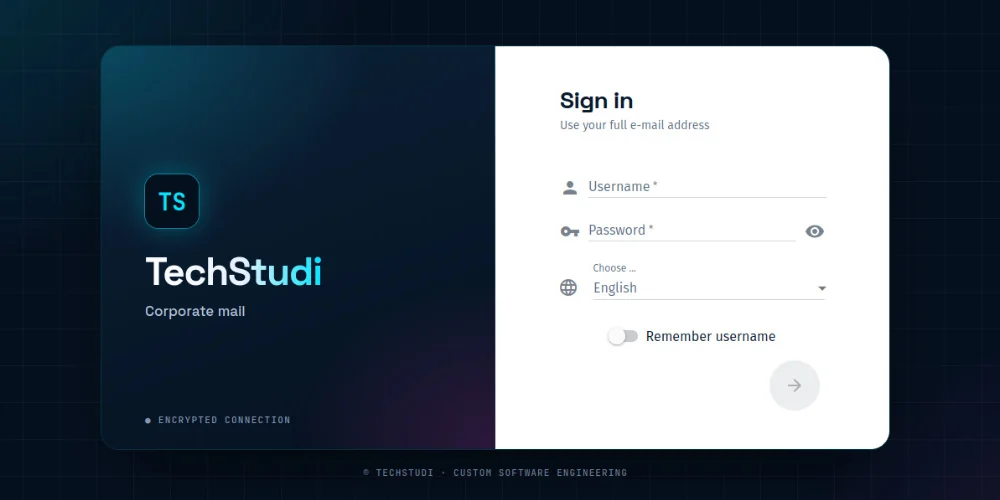
TechStudi corporate mail sign-in screen with the TechStudi logo and colors

We use it ourselves

This is our own corporate mail sign-in, branded for TechStudi.

  • Logo and colorsApplied to the chat widget, sign-in screens, apps and dashboards.
  • Your own domainEmail and web addresses under your company’s domain.
  • Company signatureA consistent signature on every email your team sends.
  • Your voiceGreetings, phone menus and bot messages written your way.
How it works

From first call to launch

We set the platform up with you, so it fits the way your business already works.

  1. 01

    Tell us how you work

    We review how customers reach you today and which tools your team uses, and agree on the modules you need.

  2. 02

    We brand and configure

    We apply your logo, colors and domain, and set up call flows, chat, mailboxes and users.

  3. 03

    Launch with support

    Your team starts using it with our help, and we stay available as you add modules or people.

Contact

See it with your own brand in mind

Tell us what you need and we’ll show you how the platform would look and work for your company.

  • +1 (754) 306-9953 Mon–Fri, 9am–7pm (ET)
  • Parkland, Florida
    6331 NW 95th
    Parkland, FL 33076
    Remote LATAM / EU / US
FAQ

Questions before you book a demo

What is TechStudi Workspace?

TechStudi Workspace is a platform that brings customer service and internal communication together: live chat with a chatbot for websites and online stores, phone system integration (CTI) with a visual IVR designer, real-time dashboards, business email, team chat, video conferencing, calendar and remote support.

Can everything carry our own brand?

Yes. Every tool is delivered with your company’s logo, colors and name, from the chat widget your customers see to the sign-in screens and email signatures your team uses.

Do we have to take the whole platform?

No. You can start with the modules you need, for example live chat and IVR, and add email, conferencing or remote support later.

Can we design our own call flows?

Yes. The IVR designer is a visual editor where you drag steps such as greetings, menus, schedules, language selection and transfers onto a canvas, validate the flow, place a test call and publish it when it is ready.

Does the live chat work on online stores?

Yes. The chat widget is added to your website or online store. A chatbot answers common questions at any hour and hands the conversation to a person on your team when needed.

How much does it cost?

Pricing depends on the modules you choose and the size of your team. Request a demo and we will prepare a proposal for your business.
One platform. Your brand on all of it.

Book a walkthrough and see chat, phone, email and meetings working together.